WordPress Hosting, Fully Managed
WordPress hosting that runs itself
Built around AccelerateWP and Redis caching, one-click staging and hardening, and WordPress Toolkit Deluxe — plus a free domain, SSL certificate and migration to get you started.
$4.19
Launch plan, per month
Free
Domain, SSL & site transfer
1-click
Staging & security hardening
24/7
Real WordPress support
Pricing
Managed WordPress hosting plans
Whether you're running one blog or up to 100 sites, every tier includes caching, staging and built-in hardening.
Launch WordPress
Fully managed WordPress built for one site
$4.19/mo
$50.28 today · billed annually
renews at the same price
- SSD storage
- 10 GB
- WordPress sites
- 1
- CPU / RAM
- 1 core / 2 GB
- Monthly visits
- 100k
- AccelerateWP performance with Redis caching
- Spin up as many as 10 staging sites
- Harden your site's security in a single click
- WordPress Toolkit Deluxe included
- Manage everything via WP-CLI and SSH
- Domain, SSL and backups all included free
- Managed WordPress on NVMe with LiteSpeed
- Core and plugin updates handled automatically
- Clone or roll back a site in one click
- Your first year of domain registration on us
- We'll migrate your WordPress site over free
- ImunifyAV+ scans every site for malware
- 24/7 support from people who know WordPress
Checkout finishes on Hosting Cheap, the secure platform we bill through.
Pro WordPress
Manage as many WordPress sites as your business needs
$5.59/mo
$67.08 today · billed annually
renews at the same price
- SSD storage
- 20 GB
- WordPress sites
- 25
- CPU / RAM
- 2 cores / 4 GB
- Monthly visits
- 400k
- AccelerateWP performance with Redis caching
- Spin up as many as 10 staging sites
- Harden your site's security in a single click
- WordPress Toolkit Deluxe included
- Manage everything via WP-CLI and SSH
- Domain, SSL and backups all included free
- Managed WordPress on NVMe with LiteSpeed
- Core and plugin updates handled automatically
- Clone or roll back a site in one click
- Your first year of domain registration on us
- We'll migrate your WordPress site over free
- ImunifyAV+ scans every site for malware
- 24/7 support from people who know WordPress
Checkout finishes on Hosting Cheap, the secure platform we bill through.
Elite WordPress
Built for high-traffic WordPress sites that can't slow down
$9.09/mo
$109.08 today · billed annually
renews at the same price
- SSD storage
- 200 GB
- WordPress sites
- 100
- CPU / RAM
- 3 cores / 6 GB
- Monthly visits
- 1M
- AccelerateWP performance with Redis caching
- Spin up as many as 10 staging sites
- Harden your site's security in a single click
- WordPress Toolkit Deluxe included
- Imunify360 protection with backups every 4 hours
- Domain, SSL and priority support all included free
- Managed WordPress on NVMe with LiteSpeed
- Core and plugin updates handled automatically
- Clone or roll back a site in one click
- Your first year of domain registration on us
- We'll migrate your WordPress site over free
- PHP X-Ray and CloudLinux Pro for faster debugging
- 24/7 priority support when you need it
Checkout finishes on Hosting Cheap, the secure platform we bill through.

Performance
AccelerateWP and Redis, dialed in
The usual reason a WordPress site drags is repetition: identical pages rebuilt over and over, identical queries fired again for each arrival. Both of those get dealt with here at the same time. Cached pages with slimmed assets come from AccelerateWP, while Redis holds the database results you reach for most in memory, so the performance never sags, whether one person turns up or a thousand land at once.
- Full-page and object caching enabled from day one
- CSS, JS and image optimization handled automatically
- Database queries cached in memory via Redis
- NVMe-class storage powering every site
Optimization
Squeeze even more speed out of WordPress
Our platform covers the heavy lifting, but a handful of habits will shave off the remaining milliseconds. Follow this checklist and your pages will move.

- 1
Leave full-page caching switched on
Full-page caching in AccelerateWP is on when you arrive, and it should stay on, because a returning visitor then gets a finished HTML page rather than one rebuilt from nothing.
- 2
Turn on Redis object caching
Turn Redis on inside the WordPress Toolkit and database results start being reused from memory. Carts, search and logged-in pages feel that change more than anything else.
- 3
Choose a lightweight theme
Pick a lean block-based theme and it pulls in far less CSS and JavaScript than a heavy page-builder theme, cutting render time before caching has done a thing.
- 4
Compress and lazy-load your images
Upload images at the size they will be shown, then let AccelerateWP do the compression and lazy-loading. On most WordPress pages the images weigh the most.
- 5
Trim and keep plugins updated
Hold on to the plugins you genuinely use, and let smart updates patch those. Each additional plugin brings more queries, more scripts and another way in.
- 6
Run a current PHP version
Move to PHP 8.x using the selector in cPanel. The newer releases run WordPress a good deal quicker than the older 7.x builds plenty of sites are still sitting on.
After the whole story? We have written a guide on pulling more speed out of budget WordPress hosting.
Why Choose Our WordPress Hosting
Whatever a WordPress site needs, already included here

Performance tuned by AccelerateWP
Full-page caching, CSS/JS optimisation and clever image delivery are AccelerateWP's job, and it does them by itself, so you never end up piling plugins on to reach the same place.
Redis-powered object caching
Common database lookups get held in memory by Redis, which is what keeps dashboards, shopping carts and other dynamic pages quick once real traffic turns up.
Staging sites in one click
Clone the live site, test a theme or an update on the copy with nothing at stake, then push it across when you are happy.
WordPress Toolkit Deluxe built in
Installs, clones, updates and security for every site are run from one dashboard, and smart updates get tested somewhere safe before they reach production.
Locked down from day one
One click tightens file permissions and shuts down XML-RPC and login exploits, and malware scanning carries on watching after that.
Domain and SSL, included
A domain for the first year, an SSL certificate issued without asking, and daily backups all ride along with the plan. Nothing extra to tick at checkout.
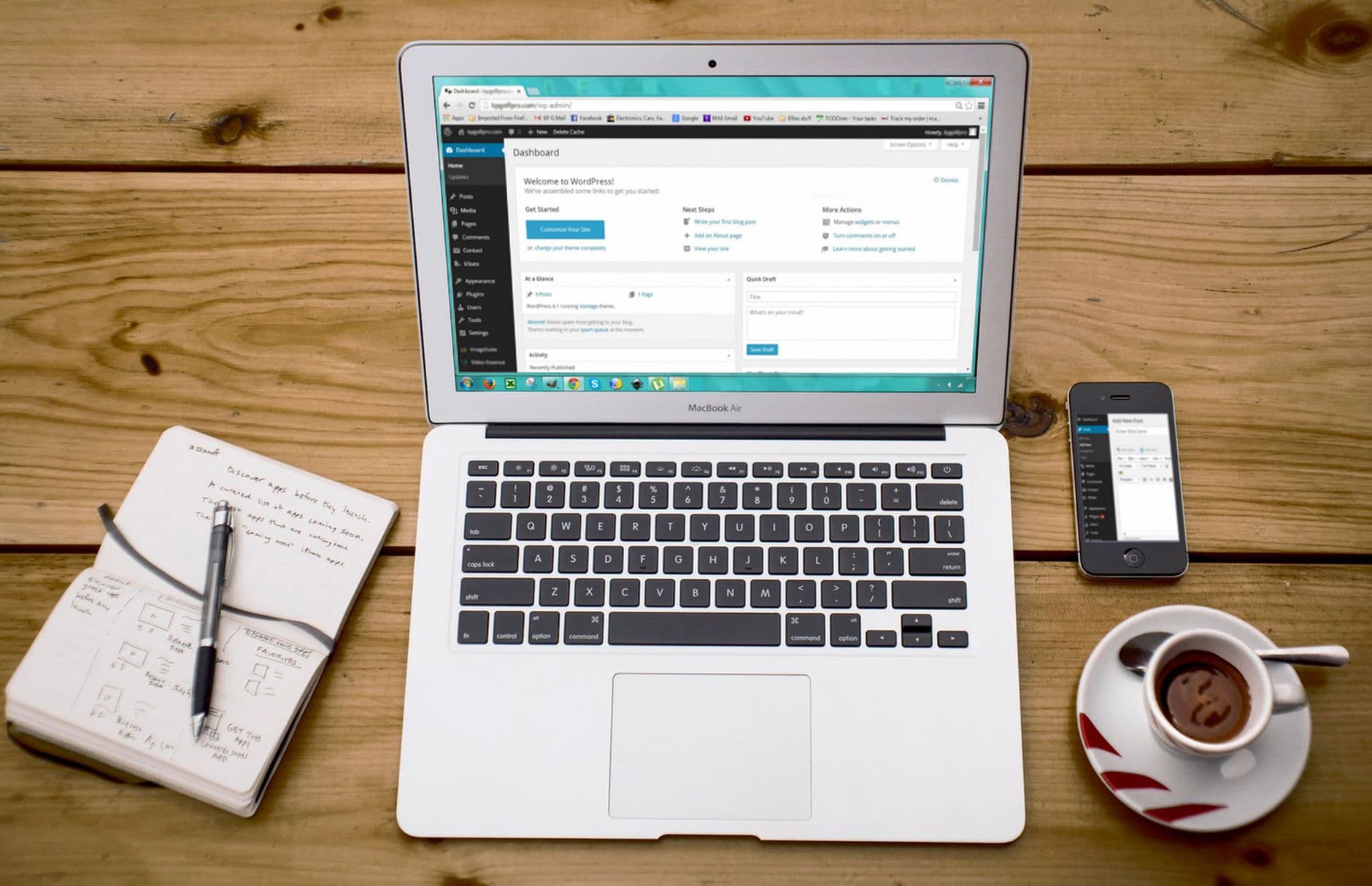
Stay in Control
Staging plus WordPress Toolkit Deluxe
Nobody should be testing on a live site any more. Clone production into a staging copy of its own, break things there with updates, themes or an unfamiliar plugin, and send back whatever survives with one click. WordPress Toolkit Deluxe keeps every site you run tidy in a single place, and its smart updates catch the problems before a visitor ever gets anywhere near them.
- Clone any site to staging in one click
- Push updates live whenever you're ready
- Install, clone and manage everything from one panel
- Smart updates that test before they apply
Compare
How the plans compare with each other
Upgrading to a bigger tier only takes a couple of clicks as your traffic climbs.

| Feature | Launch WordPress | Pro WordPress | Elite WordPress |
|---|---|---|---|
| SSD storage | 10 GB | 20 GB | 200 GB |
| WordPress sites | 1 | 25 | 100 |
| CPU / RAM | 1 core / 2 GB | 2 cores / 4 GB | 3 cores / 6 GB |
| Monthly visits | 100k | 400k | 1M |
| AccelerateWP & Redis caching | |||
| Staging environments | |||
| WordPress Toolkit Deluxe | |||
| Domain, SSL and backups included |

Security
Hardened, backed up, and watched without pause
Leaving security to a plugin you meant to configure is not a plan. Hardening in one click clamps down file permissions and shuts the usual ways in, XML-RPC and brute-force login attempts among them, with malware scanning ticking over in the background. Free SSL and a daily backup mean the site is encrypted and recoverable on the day it launches, not weeks afterwards.
- One-click hardening for every site
- Ongoing malware scans
- SSL certificates that renew for free
- Daily backups ready to restore anytime
Great For
Shaped around the way you use WordPress

Bloggers and creators
Publish whenever it suits you, and the pages still come back quickly. Caching and NVMe-class storage hold a content site responsive without anyone tuning anything by hand.
Agencies and freelancers
Give each client their own staging copy, hand over finished sites without crossing your fingers, and watch the whole portfolio from the WordPress Toolkit.
Developers
WP-CLI, SSH access and staging environments of their own mean you build and ship in whatever workflow you already trust day to day.
How It Works
Live after three steps, no more

- 1
Pick your WordPress plan
Take Launch if it is one site, or step up to Pro or Elite and run up to 100 of them. Caching, staging and hardening ship with every tier.
- 2
Install fresh or bring your site over
Fire off a fresh WordPress install in one click, or pass the site you already run to our team for a free migration. Most of those finish inside 24 hours.
- 3
Build and ship with confidence
Test the changes on a staging copy, push them across once they hold up, and leave the speed to AccelerateWP and Redis while we watch the security side at every hour.
Included
Comes standard with every plan
- AccelerateWP performance toolkit
- Redis-based object caching
- Staging environments for up to 10 sites
- WordPress Toolkit Deluxe
- One-click security hardening
- Automatic smart updates
- WP-CLI & SSH access
- Free domain, first year included
- Free SSL that renews automatically
- Free hands-on migration
- Automatic daily backups
- 24/7 support from real WordPress people

WordPress living at another host right now? We will move it over free.
Our team handles the files, database, themes and plugins with effectively zero downtime — typically wrapped up within 24 hours.
Request Free MigrationCompare
Where our pricing sits against theirs
Full managed-WordPress features at a shared-hosting price, with no surprise jump at renewal. See the sign-up price next to the real renewal price.

| What you get | HostingAllyTop pick | GoDaddy | Bluehost | SiteGround |
|---|---|---|---|---|
| Starting price / mo* | $2.42/mo | $5.99 | $4.99 | $2.99 |
| Renewal rate / mo | $2.42/mo | $11.99 | $11.99 | $17.99 |
| Entry plan renews at exactly the price you paid | ||||
| Cheapest rate with no 3-year lock-in | ||||
| Daily backups included on the entry plan | ||||
| SSL included on every plan | ||||
| Migration included | ||||
| 24/7 live human support |
*This is our lowest-cost plan on an annual term, renewing at that same rate. Competitor figures come from their cheapest published shared-hosting price in August 2026. GoDaddy's and Bluehost's lowest rates both demand multi-year terms, and all three go up at renewal. Check their own sites for current offers.
FAQ
Common WordPress hosting questions
Do you fully manage the WordPress hosting?
Yes, fully managed. The WordPress chores that quietly eat your week are ours: server-level updates, AccelerateWP page caching, Redis object caching, a free SSL certificate that renews itself, and daily automatic backups, all running out of sight. WordPress Toolkit Deluxe handles core, theme and plugin updates, and its smart-update system trials each change on a copy before anything is allowed near your live site. Beginning a project takes one click in cPanel, with no database to set up by hand and no config file to edit. Need an actual person? Support is on call 24/7 and knows WordPress itself, not just hosting in the abstract. The keys stay with you all the same: WP-CLI, SSH and the familiar WordPress dashboard are still yours. Put briefly, you work on content and customers while we keep the platform patched, quick and healthy, behind a 99.9% uptime SLA and a 30-day money-back guarantee.
How do AccelerateWP and Redis make the site quicker?
Nearly every WordPress slowdown traces back to the same thing: the server rebuilding an identical page and rerunning identical database queries for each person who arrives. That repeated labour is what this setup removes. AccelerateWP builds full-page caches, minifies and merges your CSS and JavaScript without being told, and compresses and lazy-loads images, so a browser downloads less on each visit. Redis object caching keeps frequently requested database results in memory, which is precisely what a WooCommerce cart, a logged-in dashboard or a busy archive page needs to stay quick. Underneath the lot, NVMe SSD storage, current PHP 8.x builds and HTTP/2 cut the wait before the first byte lands, before caching has entered the picture. What you get: pages that hold their speed whether one visitor arrives or a thousand at once, better Core Web Vitals scores, and headroom for a traffic spike without adding one performance plugin.
Is there a way to test changes before publishing?
You can, and it is worth doing every single time. WordPress Toolkit spins up a staging clone in one click: a full copy of your files, database, themes and plugins, parked at a private URL that neither visitors nor search engines will find. Use it for a major core update, a new theme, a redesign, or a plugin nobody has vouched for, with the live site out of harm's way. Pleased with the result? One click sends the staging version to production. Not pleased? Delete the clone, and the live site never knew a thing. Staging works on up to 10 sites on every plan, which suits an agency or a freelancer keeping a sandbox per client. Add smart updates, which run a visual check before applying anything, and a WordPress update stops being the nerve-wracking Friday job and becomes a routine step you can reverse whenever you like.
How do you keep my WordPress site secure?
Security here is not a plugin you have to remember to install. It sits in the platform. One-click hardening in WordPress Toolkit tightens file and folder permissions and bolts the doors an attacker rattles first: XML-RPC, the login screen, open directory listings. Every site gets scanned for malware alongside that. A web application firewall filters hostile requests before WordPress ever sees them, while network-level DDoS protection absorbs volumetric attacks further upstream. Smart automatic updates keep core files, themes and plugins current, which closes the known holes that most WordPress break-ins actually walk through. A free SSL certificate renews itself and encrypts every visit, and daily automatic backups mean that on a genuinely bad day the whole site can be restored to a clean state in minutes. The layers are meant to work quietly in the background, so security never appears on your list of jobs.
That free domain and SSL certificate: genuine, or is there a catch?
No catch. Take any annual plan and the first year of domain registration costs nothing, which means a brand-new WordPress site can go up without a separate domain purchase alongside it. SSL certificates get issued on their own and keep renewing for as long as you stay hosted here, so there is no first-year-only gimmick and no surprise invoice landing when the certificate falls due, which is more than some hosts manage. Your site runs on HTTPS the day it goes live, and that is what WordPress, browsers and Google all expect now. Custom email addresses on your own domain are available too, so post arrives from you@yourdomain rather than some shared inbox. Daily backups, AccelerateWP with Redis caching, staging and security hardening sit inside the plan price as well, instead of being sold to you separately at checkout. The figure on the list is what the site actually costs.
Will your team move my existing WordPress site across for me?
Yes, and our team does it without charging you extra. After you sign up, raise a migration request with the login details for your current host and the lot comes across: WordPress core, files, database, themes, plugins, media and settings, exactly as they stand today. The copy gets built and tested on our servers first, so pages, forms and any WooCommerce store are confirmed working before a single visitor notices a change. Only then do we help you point the domain over, which keeps downtime down to almost nothing, and most transfers are finished within roughly 24 hours of the request going in. From there the whole platform applies of its own accord: AccelerateWP with Redis caching, one-click staging, security hardening and daily backups all cover the migrated site. Would rather do it yourself? One-click Softaculous installers and full SSH access are there for that as well.
Related hosting
Web Hosting
cPanel underneath, which is the platform WordPress sits above.
WooCommerce Hosting
Made for WordPress shops, with caching that suits WooCommerce and a secure checkout attached.
Business Hosting
More power and more headroom, for a WordPress site that has outgrown shared hosting.
VPS Hosting
Dedicated resources plus root access, aimed at busy or heavily customised WordPress projects.
Put a faster WordPress site live from today.
Caching, staging and hardening handled for you — plus a free domain, SSL certificate and migration included.
View WordPress PlansManaged WordPress hosting only earns its keep when it stays fast, stays up and stays honestly priced — and that is exactly the bar every HostingAlly plan is built to clear. Behind each WordPress site sits NVMe storage, LiteSpeed caching and a network monitored around the clock by the same engineers who answer our support queue.
It's a setup made for bloggers, businesses and publishers running WordPress, and it comes with the essentials included rather than upsold: free SSL on every domain, free migration handled by our team, automatic daily backups and a 30-day money-back guarantee.
Why wordpress hosting works better on HostingAlly
Speed is engineered in, not bolted on. Every WordPress site runs on 100% NVMe storage behind LiteSpeed servers with HTTP/2, so time-to-first-byte stays low and Core Web Vitals stay green — the things search engines and visitors both reward.
Reliability is contractual, not aspirational: a 99.9% uptime SLA backed by redundant tier-3 data centers, automatic failover and monitoring that pages an engineer before you ever notice a blip.
What it really costs — now and later
The classic hosting trick is a teaser first year followed by a renewal cliff. We don't play it: the price you sign up at is the price your WordPress site renews at, and any promotional pricing is labelled as exactly that before you pay.
Every plan is also covered by a 30-day money-back guarantee, so trying managed WordPress hosting with us carries no real risk — if it's not the right fit, you get your money back without a retention-department wrestling match.
Under the hood of your WordPress site
Your WordPress site lives in a tier-3 data center on enterprise hardware we own and maintain — NVMe storage arrays, redundant networking and conditioned power, watched 24/7 from our network operations desk.
Software stays current on our schedule, not yours: kernel patches, panel updates and PHP releases are rolled out across the fleet so security never depends on you remembering to update.
- Tier-3 redundant data centers with automatic failover
- 100% NVMe storage behind LiteSpeed web servers
- Network-edge DDoS filtering on every plan
- Proactive patching handled by our engineers
More Reasons
Built to help you grow
Built for speed
NVMe drives and server-level caching keep every WordPress site quick without extra configuration.
Free SSL, forever
Every domain gets HTTPS fitted automatically — issued free, renewed free, forever.
Free migration
Hand us your current login and your WordPress site arrives here free — files, data and DNS included.
Daily backups
Automatic daily snapshots you can restore whenever something breaks.
Human support 24/7
The support queue is staffed by engineers around the clock — first replies usually land within 15 minutes.
Renewal-safe pricing
No teaser-rate trap: what you pay now is what you pay next year.
Getting Started
How to get going
- 1
Pick your plan
Choose the wordpress hosting tier that fits today — upgrading later takes one click, not a migration.
- 2
Connect your domain
Register a new domain from $2.99 or point one you already own; SSL configures itself.
- 3
Launch and relax
Go live in minutes, or let us move an existing site over for free while you watch.
Good To Know
What's covered
- 30-day money-back guarantee on hosting plans
- Built for bloggers, businesses and publishers running WordPress
- LiteSpeed servers with HTTP/2 enabled
- Network-edge DDoS filtering built in
- Free WHOIS privacy on eligible domains
- One-click installs for 240+ applications
- Instant account provisioning after checkout
- Upgrade any time without migrating
More FAQ
More questions, answered
How fast can I get started with managed WordPress hosting?
Provisioning is automatic — your account is live minutes after payment. Moving an existing WordPress site from another provider? The free migration team usually has it done within a day, with nothing going offline.
Do I have to pay extra for HTTPS with managed WordPress hosting?
Yes — every domain gets a free SSL certificate that's issued automatically and renews itself. There's no paid tier for basic encryption.
Will my managed WordPress hosting price go up at renewal?
It stays put. Renewals bill at your original sign-up price, and any promotional first-term rate always shows its renewal figure alongside before you commit.
What if managed WordPress hosting isn't the right fit?
You're covered by a 30-day money-back window. Ask for a refund inside it and you'll get one — no interrogation, no retention-department wrestling match.