PHP Hosting
PHP hosting shaped around your codebase
Choose from any current PHP version, change releases per domain with a single click, and launch with Composer, SSH access and the extensions your project needs — all running on quick NVMe servers.
$2.42
Monthly PHP hosting rate
PHP 8.4
Ready on day one
1-click
Change PHP version
Composer
Already installed

Version Flexibility
Several PHP versions on the one account
Runtime needs differ from one project to the next. Instead of pinning every site to a single release, you say which PHP version each domain runs, and you can change your mind at any hour from the control panel.
Rehearse the upgrade on a staging domain, confirm nothing has broken, and only then send it to production. Should a version turn awkward on you later, one click puts things back.
- Current releases through PHP 8.4
- Set a distinct version per domain
- One-click swaps with instant rollback
- Older 7.x builds are still available
Why Choose Us
Built around the way PHP developers really work

Run any PHP release you need
Whatever PHP build your project leans on, an old 7.x codebase or PHP 8.4, you keep it. Several of them can sit side by side inside one account without argument.
One click changes everything
Each domain can sit on its own PHP version, chosen from the control panel. Test an upgrade, and if something misbehaves, roll it back within seconds.
Composer, already set up
Composer is already installed and answers over SSH from your first login, so pulling packages and autoloading dependencies needs nothing set up beforehand.
All the extensions your app wants
GD, mbstring, cURL, intl, OPcache, PDO, Imagick and a long list besides are yours to enable or tune without opening a support ticket.
Built for quick response times
NVMe drives, OPcache and LiteSpeed-grade caching pull in the same direction, holding page speed steady when visitor numbers spike.
Locked down and isolated
CloudLinux walls each account into a lane of its own, stopping a runaway script on somebody else's site from eating your resources.
Pricing
Affordable PHP hosting tiers
Every plan comes with the complete PHP version selector, Composer and SSH access — choose the resource level that suits your project.
Launch
The simple starting point for putting a single site online
$2.42/mo
$29.04 today · billed annually
renews at the same price
- SSD storage
- 10 GB
- Websites
- 1
- Bandwidth
- 500 GB
- CPU / RAM
- 1 core / 2 GB
- Databases
- 25 MySQL
- Your first year of domain registration on us
- SSL that renews itself automatically, at no cost
- We'll move your existing site over for free
- Build with our free AI-powered site builder
- WordPress Toolkit with automatic daily backups
- Command-line access via SSH, Git and Composer
- Softaculous installs 240+ apps in one click
- ImunifyAV+ scans every site for malware
- NVMe SSD storage with LiteSpeed caching
- Professional email on your own domain
- MailChannels keeps your outbound mail delivered
- The latest cPanel, backed by 24/7 human support
- Your account is live within minutes of ordering
Checkout finishes on Hosting Cheap, the secure platform we bill through.
Pro
Room for every site you want to run
$4.66/mo
$55.92 today · billed annually
renews at the same price
- SSD storage
- 20 GB
- Websites
- 25
- Bandwidth
- 1 TB
- CPU / RAM
- 1 core / 2 GB
- Databases
- 50 MySQL
- Your first year of domain registration on us
- SSL that renews itself automatically, at no cost
- We'll move your existing site over for free
- Build with our free AI-powered site builder
- WordPress Toolkit with automatic daily backups
- Command-line access via SSH, Git and Composer
- Softaculous installs 240+ apps in one click
- ImunifyAV+ scans every site for malware
- NVMe SSD storage with LiteSpeed caching
- Professional email on your own domain
- MailChannels keeps your outbound mail delivered
- The latest cPanel, backed by 24/7 human support
- Your account is live within minutes of ordering
Checkout finishes on Hosting Cheap, the secure platform we bill through.
Elite
Serious performance backed by 200 GB of NVMe storage
$7.08/mo
$84.96 today · billed annually
renews at the same price
- SSD storage
- 200 GB
- Websites
- 100
- Bandwidth
- 2 TB
- CPU / RAM
- 2 cores / 4 GB
- Databases
- 100 MySQL
- Your first year of domain registration on us
- WordPress Toolkit Deluxe included
- Backups every 6 hours, plus Imunify360 protection
- PHP X-Ray and CloudLinux Pro for faster debugging
- Runtime support for Python, Node.js and Ruby
- 24/7 priority support when you need it
- SSL that renews itself automatically, at no cost
- We'll move your existing site over for free
- Build with our free AI-powered site builder
- NVMe SSD storage with LiteSpeed caching
- Command-line access via SSH, Git and Composer
- Softaculous installs 240+ apps in one click
- Your account is live within minutes of ordering
Checkout finishes on Hosting Cheap, the secure platform we bill through.

Developer Tools
Composer, extensions and a command line, ready to go
Whatever you reach for day to day is already sitting there. Pull dependencies with Composer, enable the extensions your framework insists on, and adjust PHP settings with your own hands. Nobody needs to file a support ticket.
SSH access, a real command line and cron scheduling mean deployments, migrations and background jobs behave exactly as they do on the machine under your desk.
- Composer ready to use over SSH
- GD, mbstring, cURL, intl, Imagick and more
- OPcache and PDO turned on
- Adjust memory_limit and upload limits
Speed
PHP that holds its speed under load
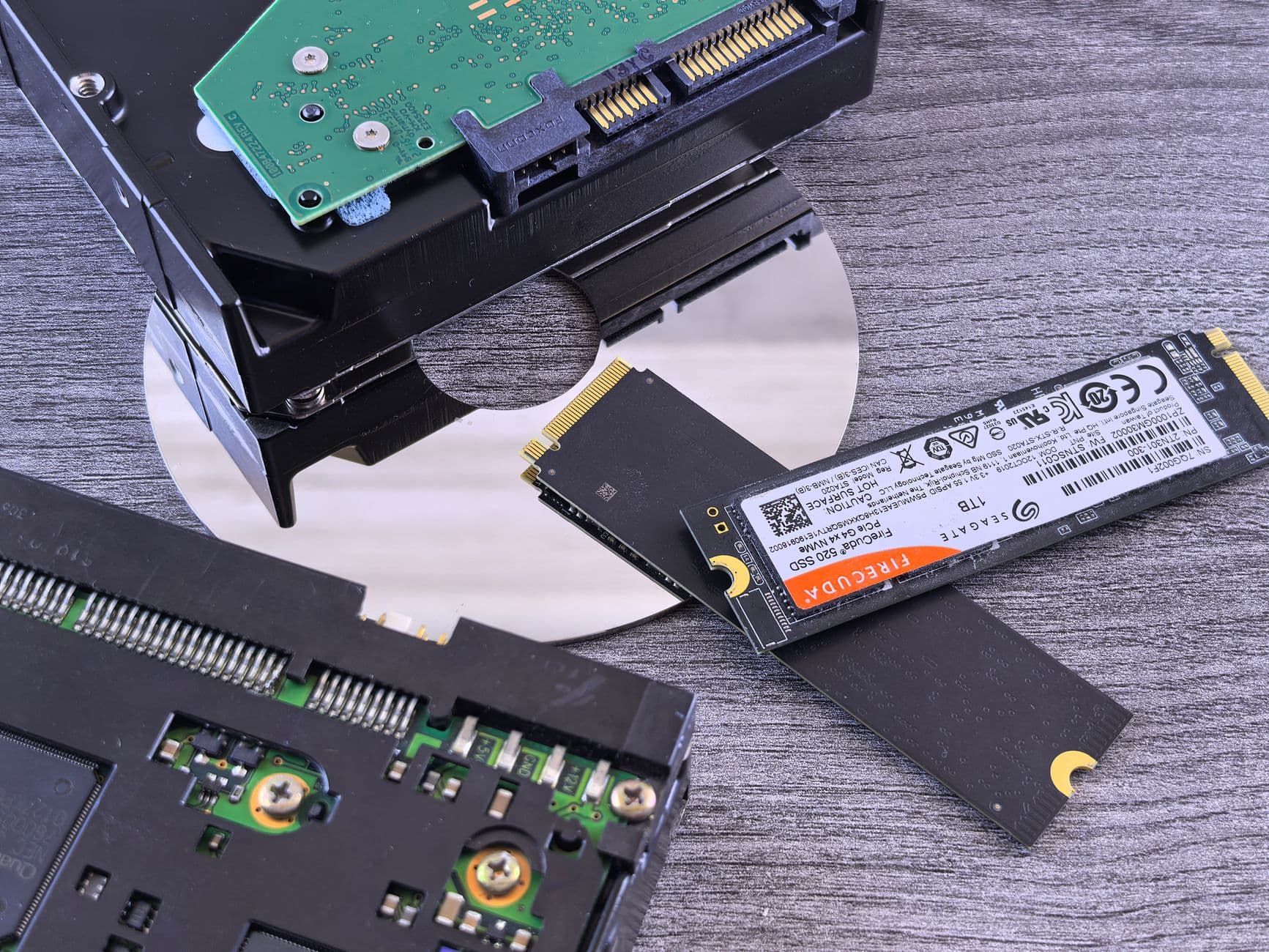
Nothing here goes fast because of one setting. It is the whole stack pulling together: NVMe drives cutting disk latency, OPcache parking compiled scripts in memory, and server-side caching removing steps from the work of rendering a page.
CloudLinux holds each account apart from the rest, which means your CPU and memory allocation belongs to you and nobody else. Peak hours or the small hours, the app performs the same.
- NVMe SSD drives
- OPcache and object caching
- Page caching at the server level
- Resource isolation via CloudLinux
Under the Hood
PHP settings you get to change yourself
Every setting that tends to trip up a busy app can be changed per site from your control panel, with no ticket and no waiting around.

memory_limit
Push it higher for data-heavy admin dashboards, the Magento backend, or hefty report and PDF jobs that would otherwise hit the ceiling halfway through the run.
max_execution_time
Stretch it so the long jobs finish: imports, image processing, database migrations of real size. Without the extra time they get cut off before they are done.
upload_max_filesize & post_max_size
Lift the pair of them so larger media files, backup archives and CSV imports go all the way up, rather than stalling silently against the cap.
OPcache
Keep compiled PHP bytecode sitting in memory, then tune its size and timestamp checks so a live site stops recompiling the same scripts on every request.
realpath cache
Size it generously for framework apps that include thousands of files, because PHP can then read those paths out of memory rather than going to disk each time.
max_input_vars
Raise it where admin screens and forms post hundreds of fields in one go, otherwise part of that data vanishes without a word.
Perfect For
Software that does well on this PHP hosting

Framework-based projects
Laravel, Symfony, CodeIgniter and Slim all run without fuss here, with the CLI, cron and Composer support each of them expects.
CMS and online stores
WordPress, Drupal, Joomla and Magento each get the PHP version and the memory headroom they were built for.
Custom-built and older code
Homegrown PHP, ageing codebases and one-off APIs keep the precise runtime and extension set they were first written against.
Getting Started
Signed up and live within minutes

- 1
Choose your plan
Choose a hosting tier and attach your domain. The full PHP version selector ships with every plan, not just the dear ones.
- 2
Pick your PHP release
Open the control panel, assign a PHP release to each domain, then flip on whatever extensions your application happens to want.
- 3
Ship it with Composer
Log in over SSH, run composer install, set your cron jobs going and push the code up. That is the stack live and serving traffic.
What's Included
All your PHP project needs, already included
- Choice of several PHP versions
- Per-domain version switching in one click
- Composer set up out of the box
- SSH and Git access included
- OPcache plus object caching
- Common PHP extensions available on request
- memory_limit and upload sizes you can adjust
- Cron scheduling and CLI access
- Room for up to 100 MySQL databases
- Free SSL that renews automatically

Room to Grow
Move up a tier as traffic builds
Start small and go bigger only when the traffic figures argue for it. Stepping onto a larger plan lifts your resource limits with nothing to reinstall, and your PHP version, extensions, databases and files all come across exactly as they were.
- Upgrade plans in just a few clicks
- Up to 100 MySQL databases available
- Higher limits whenever you need them
- Your code and data don't move
Questions
Common questions about PHP hosting
What PHP versions are available to me?
Any current PHP 8.x release is fair game, right up to PHP 8.4, and the version belongs to the domain rather than to one account-wide default. Older 7.x builds are still on the menu, which is how a long-running legacy project and something you started last week share an account without falling out. Setting it site by site earns its keep in practice. Newer CMS platforms and framework releases usually want PHP 8.2 or above, while an ageing plugin or a custom script may only ever have been tested against an earlier build. A switch takes effect immediately, and reverses just as quickly, so nobody is forcing you to march every site onto a new version on the same afternoon. Move each one at whatever pace suits it. When a fresh PHP release picks up official support we add it, which gives you a clear route onto a current, maintained version well before the one you are on reaches end of life.
What's the process for changing PHP versions?
One click does it. Open the PHP selector in your control panel, choose the release you want for that domain, and it applies there and then. No ticket to file. No maintenance window to book. Because the setting hangs off the domain, you can rehearse an upgrade on a staging copy first: point it at the newer release, run the app through everything it does, and only then move production across. If the new release causes friction, an outdated function call or a plugin nobody has updated yet, reverting is every bit as instant, so you are never stuck on a version that is giving you grief. Extensions and core settings for the chosen release live on that same panel screen, which is where you enable exactly the modules your app asks for. Put simply, keeping up with PHP here is a couple of minutes of work, rather than a lost afternoon.
Does this hosting include Composer?
Yes. Composer arrives pre-installed on every plan and runs over SSH, so managing PHP dependencies feels no different from working on your own laptop. Log in and composer install, composer update, composer require and composer dump-autoload all fire straight away, against whichever PHP version you picked for that domain. That counts for a lot in modern PHP work, because Laravel, Symfony and an enormous number of standalone libraries ship through Composer rather than as manual downloads. Your composer.json and composer.lock stay where they belong, in your repository, so the exact package versions you verified on your machine are the ones running in production. Composer is only part of it, mind. You get a proper command line for the rest of the job as well: running your framework's own CLI, firing database migrations, clearing caches, scripting a deployment. Cron support means anything you would otherwise kick off by hand can be put on a schedule instead, and none of that needs setting up by us.
Am I allowed to enable extra PHP extensions myself?
Yes. The usual suspects are all there: GD and Imagick for images, mbstring and intl for multibyte and localized text, cURL for outbound calls, PDO with the MySQL drivers for database work, plus OPcache, zip, bcmath and a good many more. Each one is switched on per PHP version, straight from your control panel. The list on offer follows the version you selected, so you can kit out a single site without disturbing anything else on the account. That same panel is where the core php.ini values get adjusted, the ones that trip up busy applications: memory_limit, max_execution_time and the upload size caps. Match a CMS or framework's stated requirements exactly rather than guessing. Most extensions come alive the moment you tick them, no ticket involved. For something more obscure that your app depends on, support will check whether it is available and talk you through enabling it, so you are never left guessing whether a module exists at all.
Will my current framework or CMS run on this hosting?
Almost certainly. Laravel, Symfony, CodeIgniter and Slim all run cleanly, and so do the big content and store platforms: WordPress, Drupal, Joomla and Magento. None of that is surprising, since they are ordinary PHP software sitting on a fully equipped, ordinary PHP stack. A smooth install mostly comes down to matching the environment to what the software asks for. Pick the PHP version it supports, enable the extensions it lists, and raise memory_limit or the upload cap where its documentation says to. After that, deploy in whatever way suits you: a one-click installer for the well-known platforms, or Git and Composer for a framework build or your own code. A real CLI plus cron cover the scheduled work these systems lean on, from queue workers through to the nightly cleanup task nobody thinks about. Unsure whether some particular app will fit? Support has probably seen it already and can steer you the right way.
What makes PHP hosting here fast?
Speed here is a stack of layers rather than a single switch. NVMe SSD storage cuts the disk latency sitting behind every file read and database query, so a page assembles quickly. OPcache keeps your compiled PHP bytecode in memory, which spares the server from recompiling scripts on each request, and that is a real win on framework-heavy applications. Server-level caching shortens the journey to a rendered page for anyone coming back a second time, while object caching takes weight off the database for values your app keeps asking for. Beneath all of it sits CloudLinux, handing every account a resource lane of its own. A runaway script on the site next door cannot quietly starve yours of CPU or memory during a traffic surge, which is why your app behaves the same at its busiest as it does when nobody is about. Tune OPcache, the realpath cache and your PHP version to the workload and you claw back whatever response time is still on the table.
Related hosting
Web Hosting
Our main cPanel platform, built on the identical NVMe stack that powers these PHP plans.
Laravel Hosting
Composer, Artisan, Git-based deploys and Redis, the lot tuned for Laravel work.
Business Hosting
More CPU and RAM, for hungry PHP applications and heavier traffic volumes.
Cloud VPS
Root access and resources of your own, for the point where shared PHP hosting runs out.
Launch your PHP project today.
Choose a plan, set your PHP version, and deploy using Composer and SSH — real people are on support if you ever need help.
View PHP PlansGreat PHP hosting is mostly invisible: pages load, mail arrives, renewals don't sting. That's the experience we engineer for — NVMe drives, tuned caching and human support that replies in minutes, not days.
Designed with developers on the web's workhorse language in mind, plans include free SSL certificates, free site moves, automated daily backups and support from real engineers 24/7 — all standard, never extra.
The HostingAlly approach to php hosting
Speed is engineered in, not bolted on. Every app runs on 100% NVMe storage behind LiteSpeed servers with HTTP/2, so time-to-first-byte stays low and Core Web Vitals stay green — the things search engines and visitors both reward.
Reliability is contractual, not aspirational: a 99.9% uptime SLA backed by redundant tier-3 data centers, automatic failover and monitoring that pages an engineer before you ever notice a blip.
Honest pricing, upfront
The classic hosting trick is a teaser first year followed by a renewal cliff. We don't play it: the price you sign up at is the price your app renews at, and any promotional pricing is labelled as exactly that before you pay.
Every plan is also covered by a 30-day money-back guarantee, so trying PHP hosting with us carries no real risk — if it's not the right fit, you get your money back without a retention-department wrestling match.
Infrastructure that takes php hosting seriously
Your app lives in a tier-3 data center on enterprise hardware we own and maintain — NVMe storage arrays, redundant networking and conditioned power, watched 24/7 from our network operations desk.
Software stays current on our schedule, not yours: kernel patches, panel updates and PHP releases are rolled out across the fleet so security never depends on you remembering to update.
- Conditioned power and redundant network paths
- Hardware we own and maintain ourselves
- Tier-3 redundant data centers with automatic failover
- 100% NVMe storage behind LiteSpeed web servers
More Reasons
Built to help you grow
Quick out of the box
Speed is the default: NVMe arrays plus server-side caching mean your app loads fast from day one.
Free SSL, forever
Certificates are issued and renewed automatically on every domain, at no cost.
Free migration
Switching hosts? Engineers transfer your app at no charge, typically inside a day.
Daily backups
Daily snapshots run automatically, so a bad update costs minutes, not data.
Human support 24/7
Real engineers on chat and tickets with typical replies in under 15 minutes.
Renewal-safe pricing
The renewal price is the sign-up price; promotional pricing is always labelled before checkout.
Getting Started
How to get going
- 1
Pick your plan
Choose the php hosting tier that fits today — upgrading later takes one click, not a migration.
- 2
Connect your domain
Register a new domain from $2.99 or point one you already own; SSL configures itself.
- 3
Launch and relax
Go live in minutes, or let us move an existing site over for free while you watch.
Good To Know
What's covered
- 30-day money-back guarantee on hosting plans
- Built for developers on the web's workhorse language
- Upgrade any time without migrating
- UK-registered company, prices shown in USD
- Free SSL certificate on every domain
- Free migration handled by our engineers
- Automatic daily backups included
- 99.9% uptime backed by an SLA
More FAQ
More questions, answered
How quickly can my app go live?
Accounts are provisioned within minutes of checkout. If you're moving an existing app, our free migration team typically completes the transfer inside 24 hours with no downtime.
Is SSL included with PHP hosting?
No. HTTPS ships free on every domain — the certificate installs itself and keeps renewing without you touching anything.
What happens at renewal time?
No renewal cliff: the price you join at is the price you renew at. Where a first-term promo applies, the renewal figure is printed right next to it before checkout.
What if PHP hosting isn't the right fit?
You're covered by a 30-day money-back window. Ask for a refund inside it and you'll get one — no interrogation, no retention-department wrestling match.