Hosting Glossary
What is SSD?
What SSD actually means, minus the jargon — with the example that makes it obvious.
The short answer
An SSD stores data in flash memory with no moving parts — the storage generation that retired spinning drives from serious hosting.
Below: the fuller explanation, an analogy that makes it stick, why it matters in practice, and where you'll actually meet it.
Written by the HostingAlly team · Last revised 27 July 2026
100+
Terms in this glossary
2 min
Average read
Plain
English, promised
24/7
Humans if you're stuck
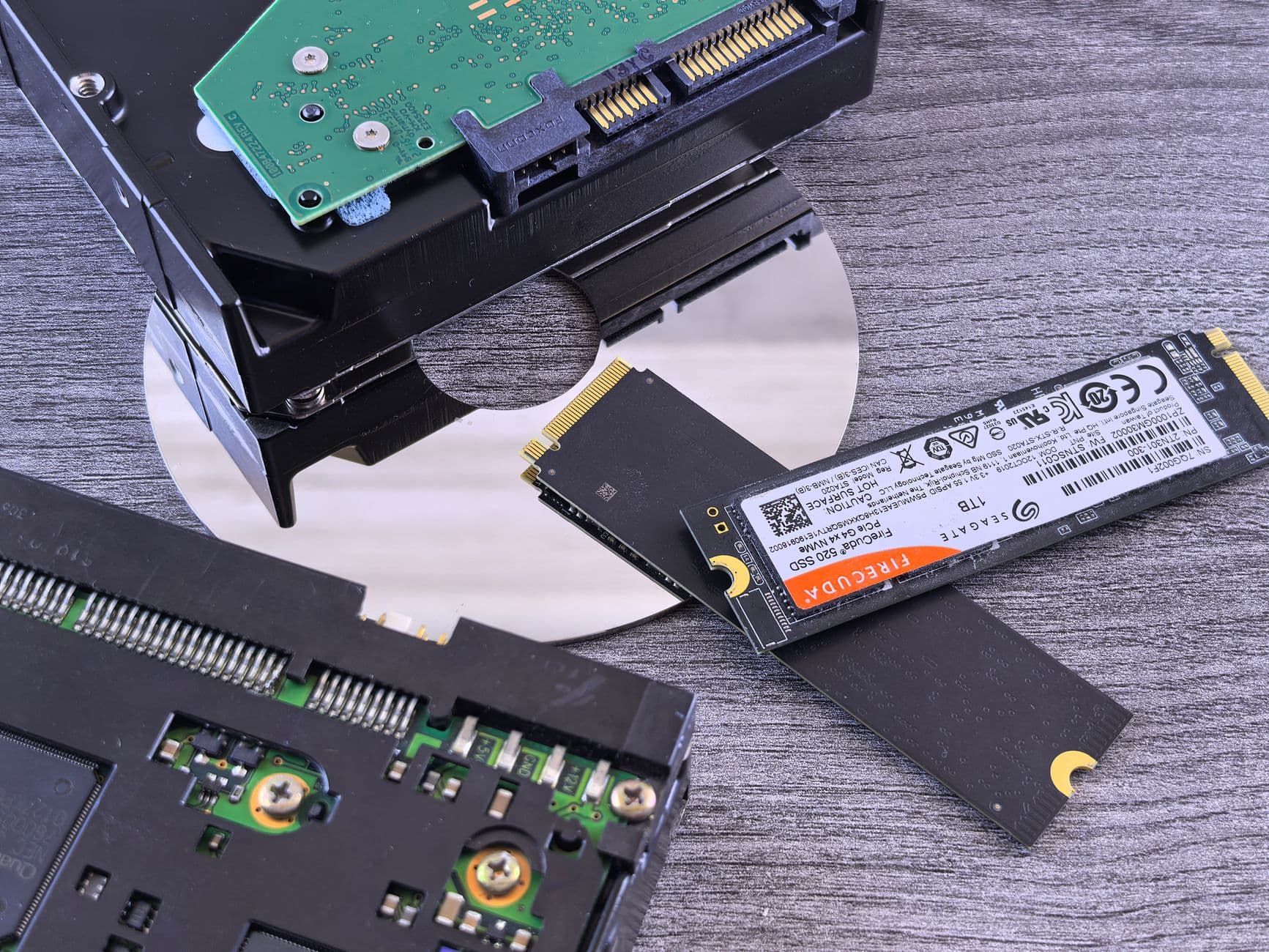
Against hard disks, SSDs answer random reads orders of magnitude faster — transforming database-heavy workloads. Within SSDs, the interface divides eras: SATA SSDs plateau at the old bus's limits; NVMe drives escape them.
In hosting marketing, 'SSD' now often means 'not the newest' — the current tell is whether a host says NVMe specifically.
A picture that makes SSD stick
The retirement of the record player — no needle seeking across platters, just electronic access; and within the digital era, SATA versus NVMe is the difference between early and current generations.
Analogies simplify, of course — but this one holds up well enough to reason with, and reasoning is the point of a glossary.
Why you should care
Storage class quietly sets your site's floor — reading a host's storage language (HDD, SSD, NVMe) tells you which decade their platform lives in before any benchmark runs.
You don't need to operate this layer daily — you need to recognise it when it's the explanation for something, which is exactly when this page pays for itself.
A concrete example
A database query that once waited on a physical head seeking across a spinning platter now reads from flash in microseconds — the single hardware change that most transformed shared hosting's feel.
Ordinary, once seen — which is the point: most hosting concepts are simple machinery wearing intimidating names.
How this shows up in your hosting
You'll meet it in the control panel and occasionally in a support conversation — usually already configured the right way. If this term made sense, the natural next reads are NVMe, Disk Space, Database and Dedicated Server.
Support is answered by real people around the clock — including the questions other hosts call out of scope.
Why we wrote a hundred definitions
Every confusing term in hosting eventually becomes a support ticket — so we defined the hundred most common ones properly, once, in the plain English we'd use on the phone.
Renewal prices match signup prices, so the year-two invoice is the most boring email you'll get from us.
- 100+ terms, plain English
- Analogies and real examples
- Cross-linked related concepts
- Written by the support desk
Why HostingAlly
Every plan includes this, whatever you pay
Plain English first
Every term defined for site owners, not for other sysadmins — jargon translated, not restated.
One term, fully landed
SSD defined, pictured by analogy and placed in your own control panel — recognise-level in a single read.
The practical stakes named
Not just what it is — when it's the answer to a problem you're having.
Grounded in a real platform
Examples reference the hosting you'd actually use, not abstract diagrams.
Linked, not siloed
Related terms cross-reference, so one lookup becomes a working understanding.
Honest about what you can skip
Most terms are recognise-level, not operate-level — the glossary says which is which.
Getting Started
How to get going
- 1
Spot it in your own setup
Open your control panel and find where this concept lives — seeing it attached to your own site is what converts definition into understanding.
- 2
Check the defaults
Confirm how your account has this configured — usually correctly by default here, and now you'll know rather than guess.
- 3
Follow the related terms
Concepts travel in packs — NVMe, Disk Space and Database complete this one's picture, and each is a two-minute read away.
Included
What's covered on our plans
- Webmail plus IMAP, POP and SMTP access
- Per-site PHP version selection
- NVMe SSD storage as standard
- 99.9% uptime commitment, monitored around the clock
- No setup fees, ever
- Staging environments for risk-free changes
- SSH, Git and Composer access on developer-friendly plans
- cPanel — the industry-standard control panel
- Daily automatic backups with self-service restores
- One-click installer for WordPress and 400+ apps
FAQ
Your questions, answered
Is SSD hosting still worth choosing in the NVMe era?
SSD beats HDD massively; NVMe beats SATA SSD meaningfully — choose the newest on offer. HDDs retain one niche: cheap bulk capacity for backups and archives, where latency doesn't matter.
Do SSDs wear out?
Flash has finite write cycles, but enterprise drives, wear-levelling and monitoring make failure-by-wear rare in practice — and hosting redundancy (RAID, backups) exists precisely so single-drive fate never becomes your data's fate.
How do I pay, and is billing recurring?
Plans are billed by credit or debit card through our secure checkout, with the renewal price matching the signup price. You can see every invoice in the client area, and cancelling auto-renewal is a setting, not a phone call.
How do I read my email away from my desk?
Webmail works from any browser, and every mailbox also supports IMAP, POP and SMTP — so your phone's mail app, desktop client and webmail all see the same messages.
Which control panel do you provide?
cPanel — the industry standard, which means every tutorial on the internet matches your screen, your backups restore anywhere cPanel runs, and skills learned here transfer for life. Plesk and DirectAdmin options exist on specific plans for those who prefer them.
Are backups included, and can I restore them myself?
Daily automatic backups are standard, restorable from the panel in minutes — files, databases or both, at 3am without a ticket if that's when you need it. For extra cover, you're welcome to run your own offsite copies alongside.
Where are your servers located?
Our hosting infrastructure runs from European datacentres with London at the core, behind server-level caching that keeps cached pages fast worldwide. For most sites, platform quality — NVMe storage, LiteSpeed, sensible server density — matters far more than the datacentre's postcode.
Keep exploring
Dedicated Server
A dedicated server is an entire physical machine rented to one customer — every core, byte and disk answering to a single tenant.
Disk Space
Disk space is the storage your hosting account may use for files, databases and email combined.
WordPress Hosting
Managed WordPress with LiteSpeed caching, staging and automatic backups.
Domain Names
Search, register and transfer domains — first year free on annual hosting.
Planning to switch hosts? Grab the checklist here.
The steps that keep a site migration dull rather than dramatic: what to back up first, how to shift email across without losing a single message, when to touch DNS, and the two mistakes behind nearly every hour of downtime we come across.
Launch it properly this time.
From your first site to a fleet of servers, the upgrade path is an account change, not a migration.
View WordPress Hosting plans